MY ESR Sickness Hub




Sickness Absence - Reports
It is important that all our staff are supported in a fair and compassionate manner, reflective of our values. By treating employees fairly, with compassion and in an unbiased manner, the Trust aims to support employees to maintain a sustainable level of attendance.
We expect our leaders to:
- Maintain, monitor and review individual sickness records and take action to support employees as appropriate;
- Carry out return to work meetings in a timely manner, preferably on the same day the employee returns to work;
- Complete the electronic return to work form, enter the return to work date on ESR and close the absence down on ESR within the timelines outlined in the process map on the ESR self-service page of the Knowledge Hub;
- Conduct and appropriately record Sickness meetings in line with the Sickness Absence Support Policy;
- Refer employees to the Occupational Health and Wellbeing Service as and when appropriate;
- Ensure all team members are aware of the Sickness Absence Support Policy, reporting procedures, and that staff have appropriate access to report their absence via ESR (the Trust's sickness management system);
- Ensure all staff are aware of the Trust's wellbeing initiatives;
- Consider and co-ordinate the implementation of reasonable adjustments once they are aware a member of staff has or may have a disability, taking into account the service need;
- Notify Digital Services where an individual is absent for more than 30 days to ensure NHSmail accounts are appropriately managed in accordance with the lifecycle policy.

Reports
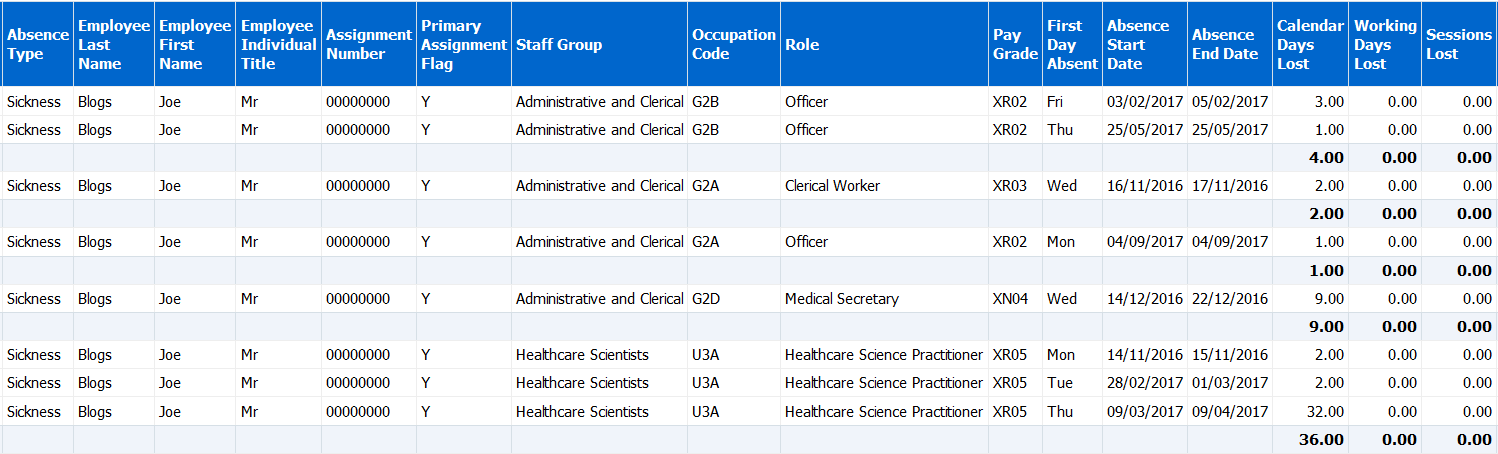
Absence Details
This report provides managers with a detailed view of employee absences, sorted by FTE Days Lost (descending), followed by Last Name and First Name. It supports export to Excel and is designed to help prioritise review and follow-up.
For open-ended absences, managers can tailor how these are classified—Long Term vs Short Term—by adjusting the relevant prompt. This allows you to switch the reference point for the end date between Current Date and Period End Date, depending on the reporting context required.
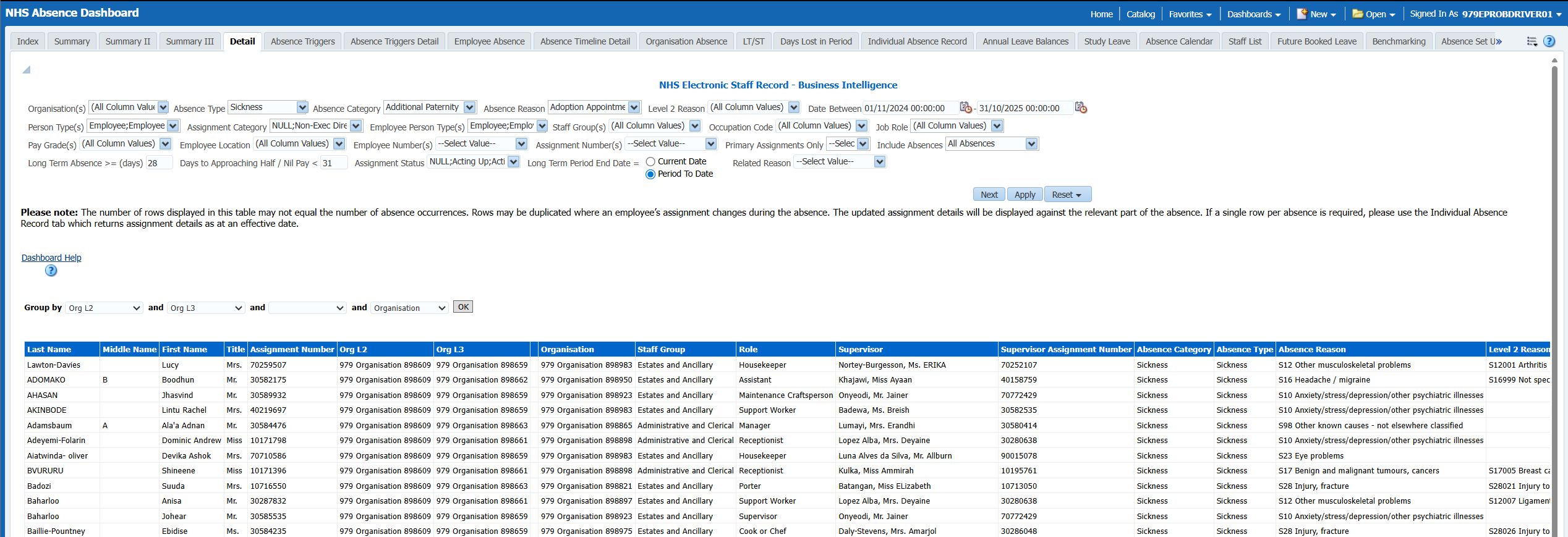
Absence Calendar
This report is a copy of the absence calendar for managers which allows users the ability to export to Excel.
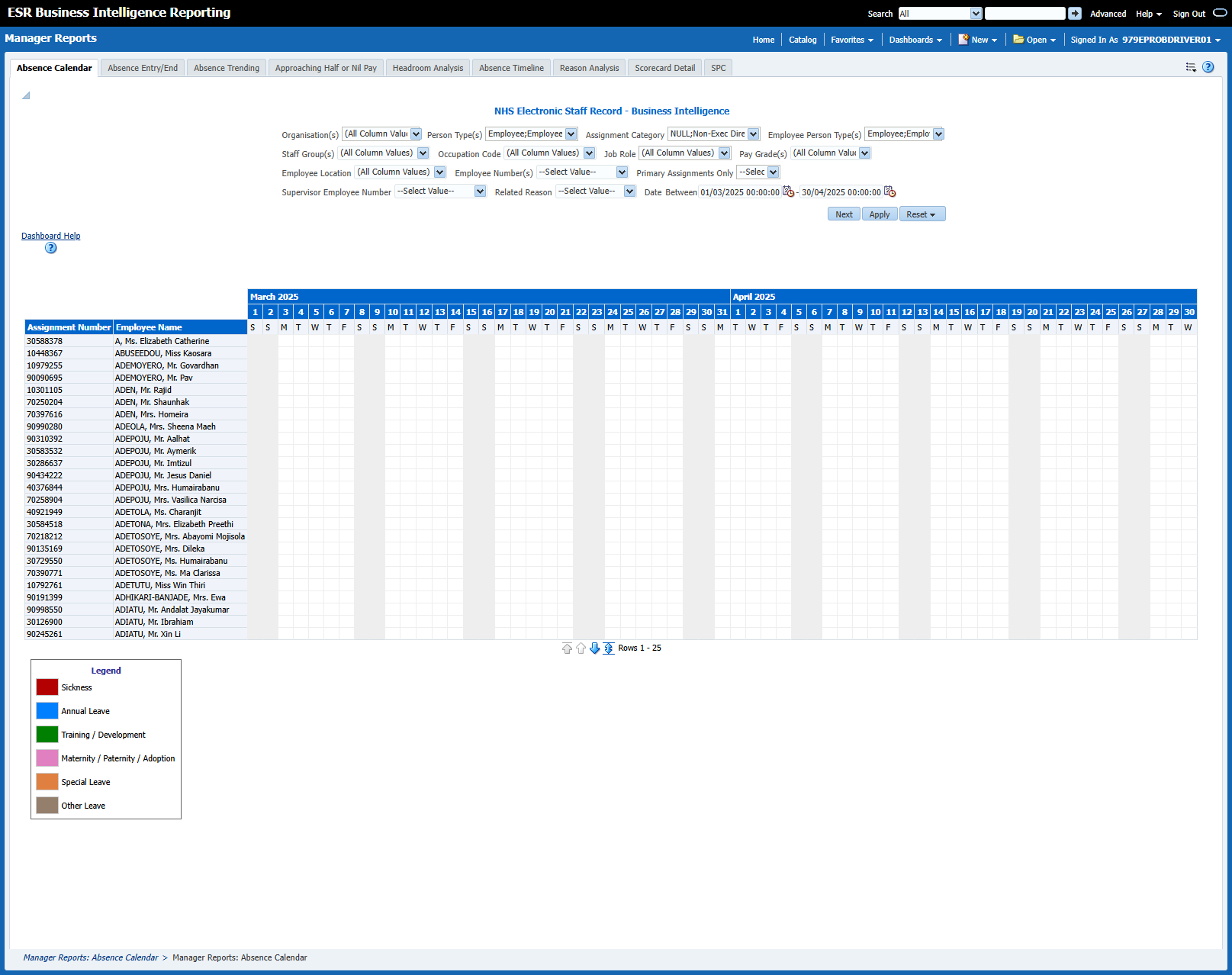
Absence Entry/End
This tab of the manager's dashboard is designed to display a number of analyses related to Absence Entry.
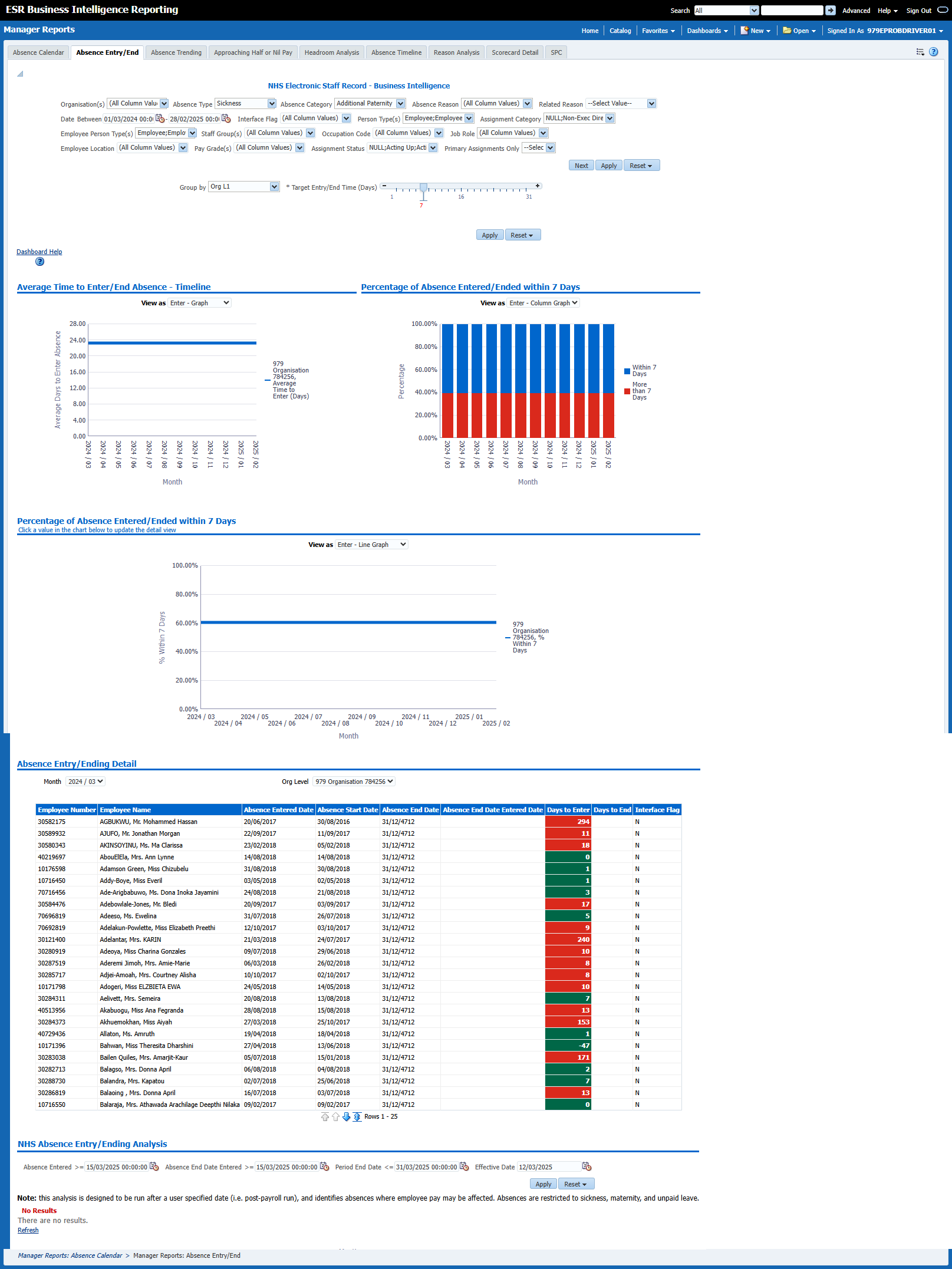
Absence Trending
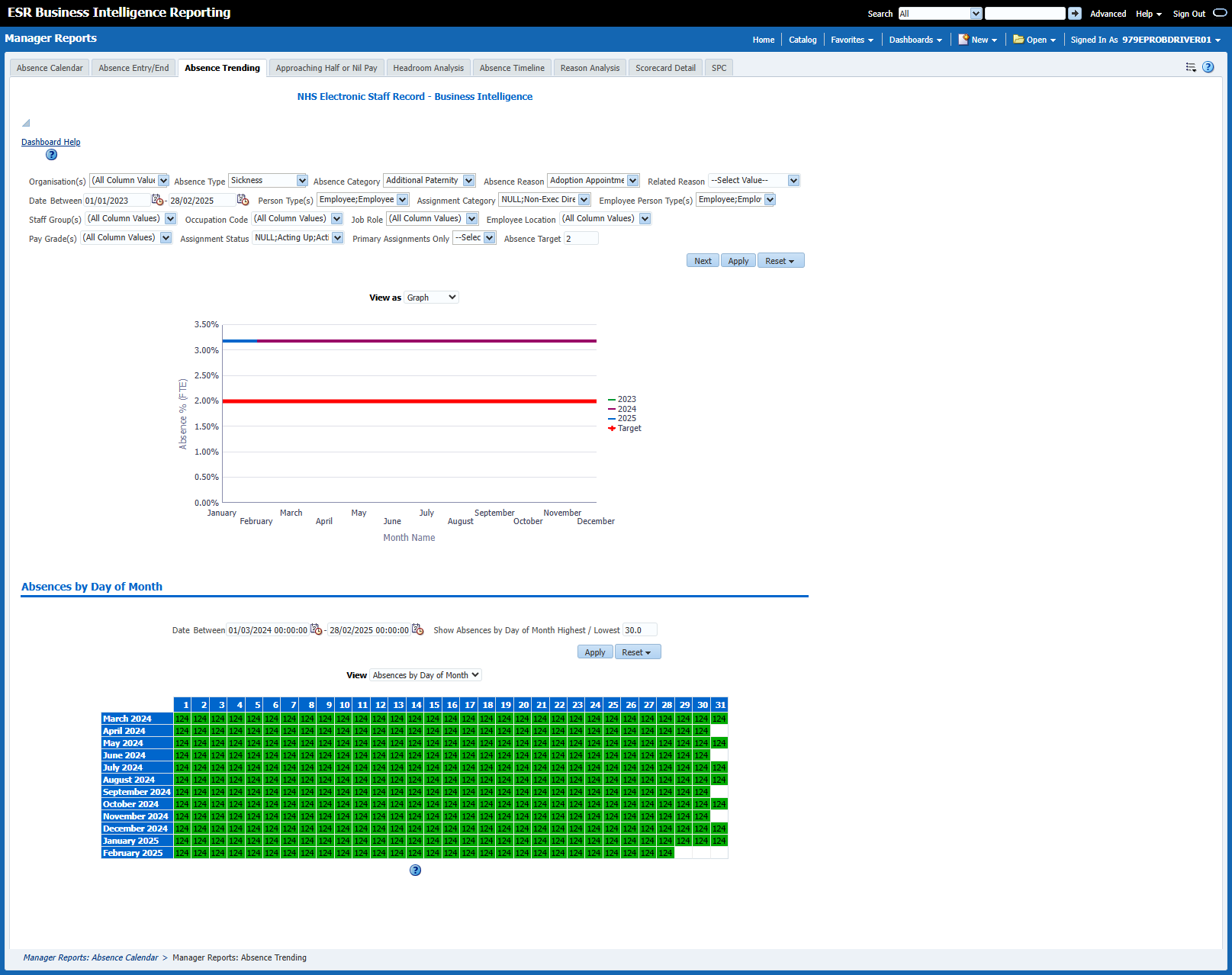
This tab aims to show trends of absence in the organisation. The first analysis shows the monthly absence rate (% of FTE Lost) over a number of years enabling organisations to compare absence rates and seasonal trends year to year.
Headroom
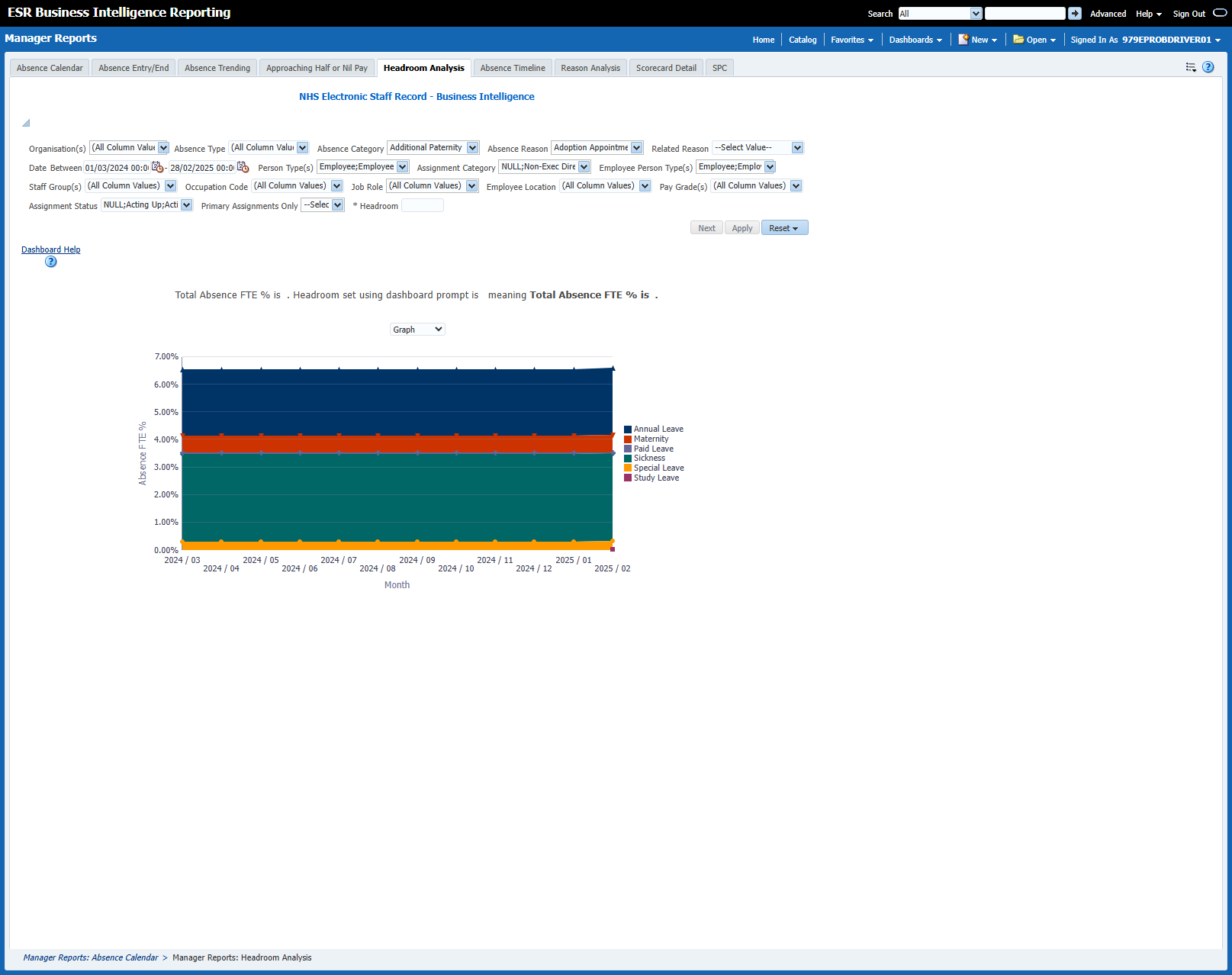
This analysis returns total Absence FTE % for all Absence Types against a user defined Headroom figure. Results are broken down by month and a narrative is provided above the main Graph which explains the difference between the total Absence FTE % and the Headroom figure entered.
You will need to enter a Headroom figure using the Headroom prompt before they can view any results.
Absences by Day of Month
This analysis shows the previous 12 months of absence grouped by month and the day in the month in a calendar-style view. For example if an absence starts from 1st July and ends on 31st, then all the 31 cells of that month would show a '1'. The analysis also shows the number of absences occurring on each day of the week. For example, if an absence started on the first day of the week (Sunday by default) and ran for 7 days, then all the 7 cells of that week would show a '1'.
Absence Timeline
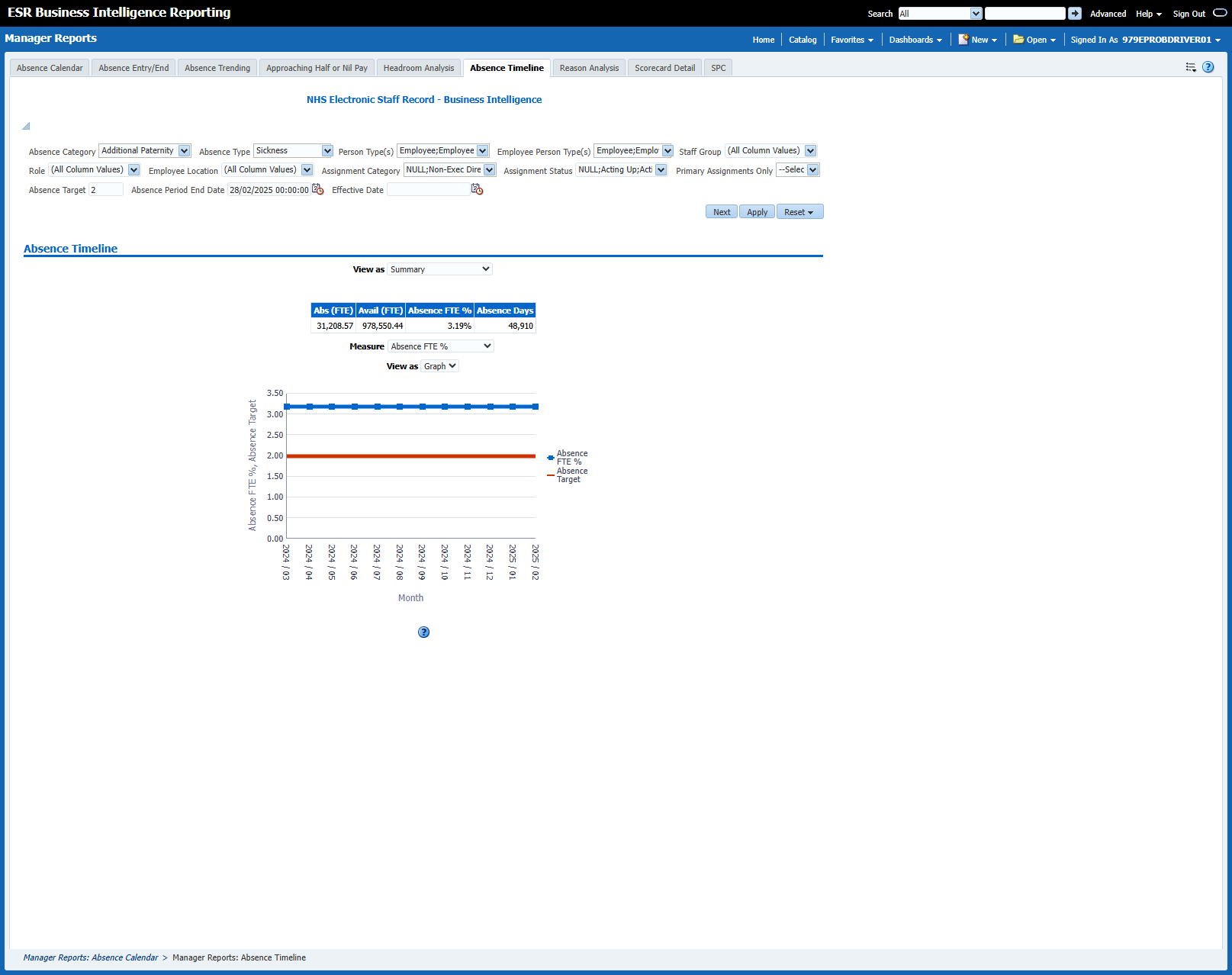
This report provides a view of the absence rate for employees. Overall Absence % (FTE), Absence Days, Absence (FTE), and Available (FTE) figures are also provided above the timeline to show an average Absence % (FTE), a total of Absence Days, the total Absence FTE and the total Available FTE for the period selected.
Absence Reasons
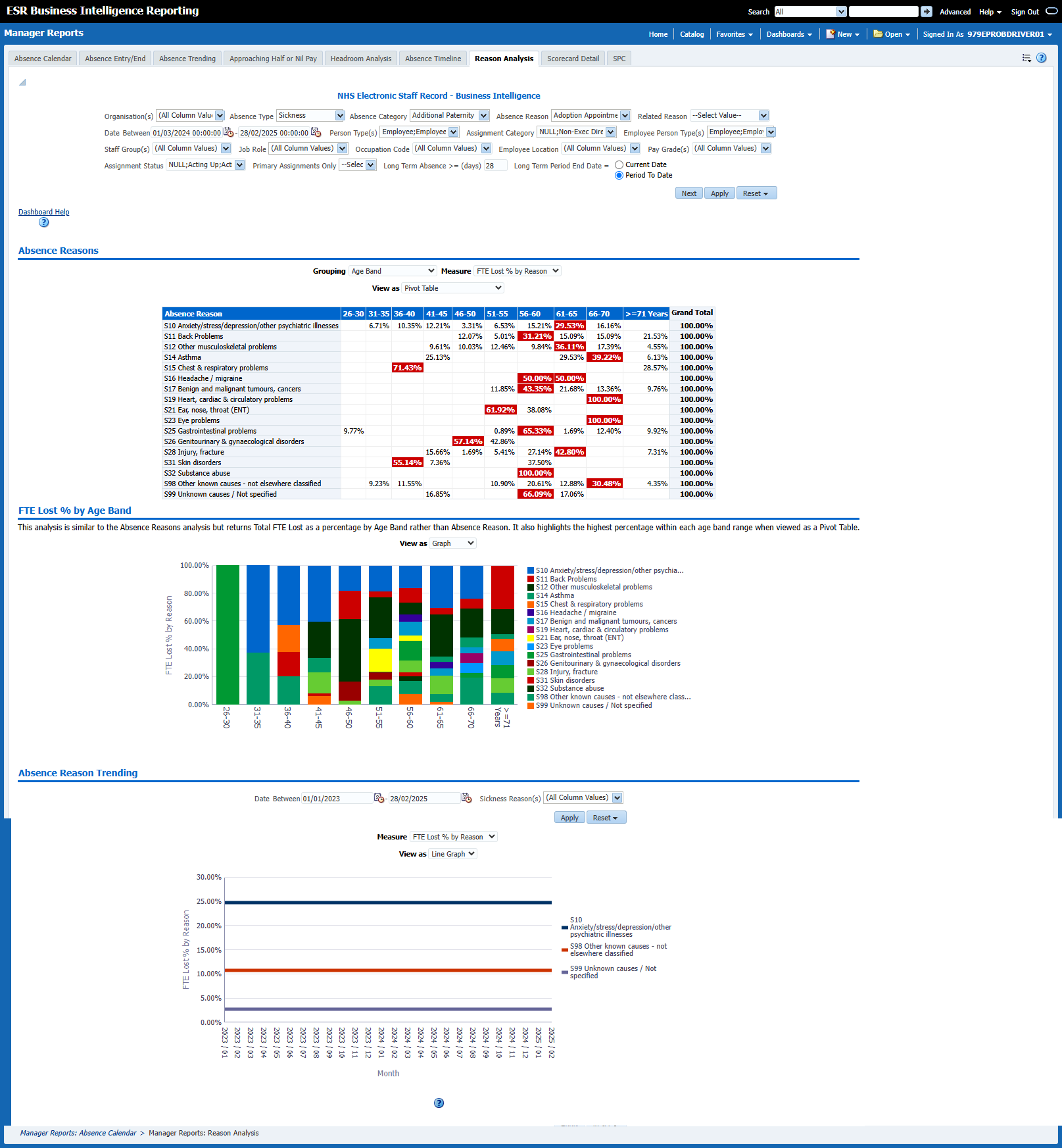
This page of the dashboard contains two analyses, both designed to show a range of absence measures by absence reason, grouped by a range of items including Age band, Job Role and Staff Group. Measures included are FTE Lost, FTE Lost %, Number of Absence Occurrences, Headcount and Assignment Count.
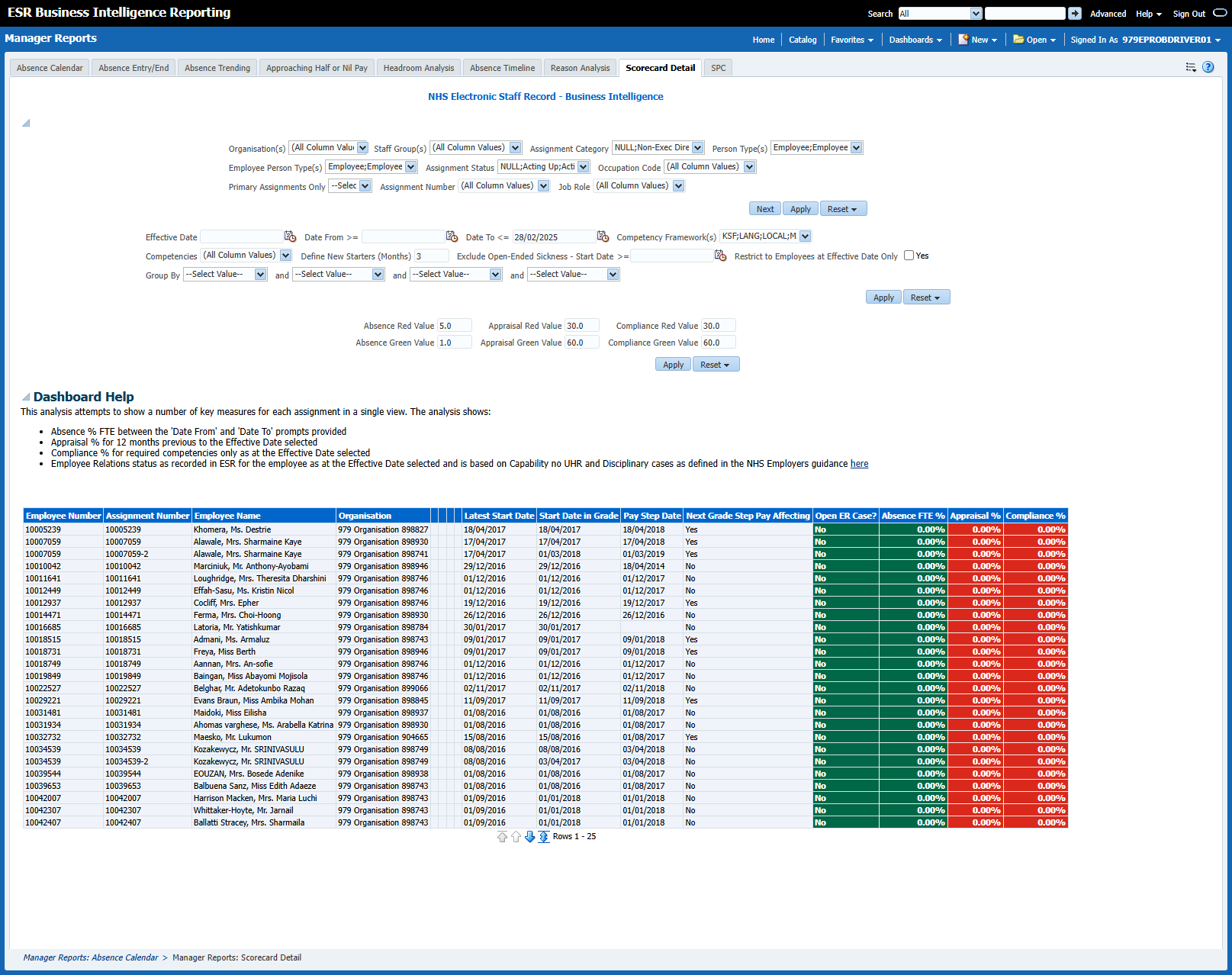
Management Scorecard
This analysis is designed to show a range of KPIs against organisation levels. Measures included are Headcount, Absence FTE %, Turnover %, Compliance % and Appraisal %. Users can set custom RAG status thresholds using the RAG status prompts available.
Statistical Process Control (SPC)
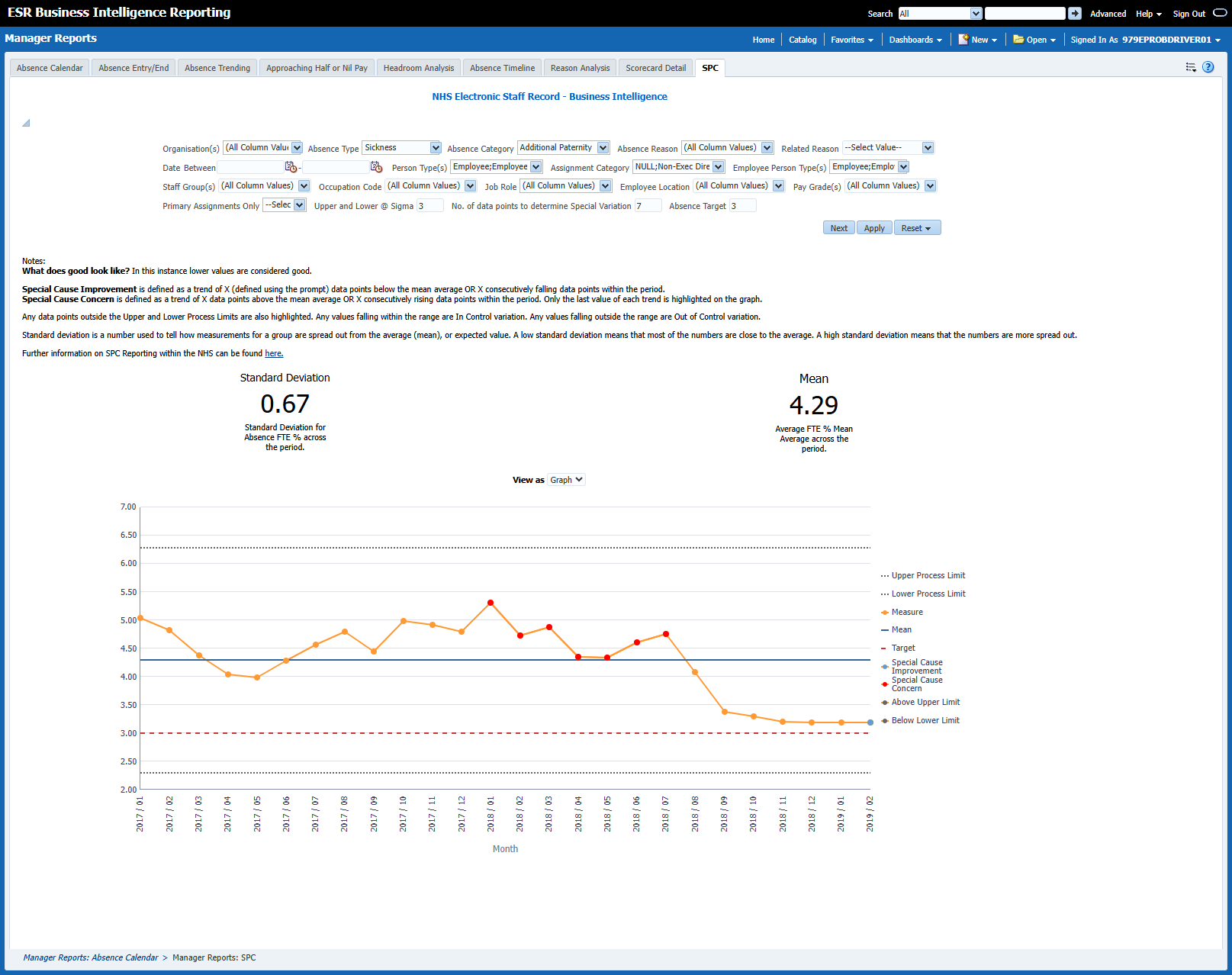
The Statistical Process Control (SPC) analysis enables users to monitor and manage sickness absence.
Notes:
What does good look like? In this instance lower values are considered good.
Special Cause Improvement is defined as a trend of X (defined using the prompt) data points below the mean average OR X consecutively falling data points within the period.
Special Cause Concern is defined as a trend of X data points above the mean average OR X consecutively rising data points within the period. Only the last value of each trend is highlighted on the graph.
Any data points outside the Upper and Lower Process Limits are also highlighted. Any values falling within the range are In Control variation. Any values falling outside the range are Out of Control variation.
Standard deviation is a number used to tell how measurements for a group are spread out from the average (mean), or expected value. A low standard deviation means that most of the numbers are close to the average. A high standard deviation means that the numbers are more spread out.
Further information on SPC Reporting within the NHS can be found here.
Approaching Half or Nil Pay
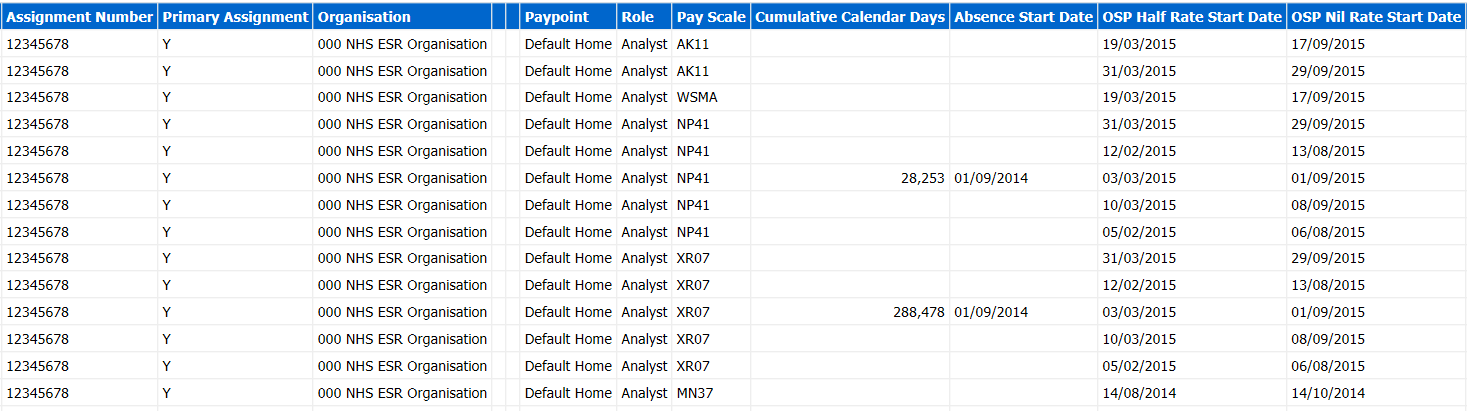
This analysis returns employees approaching half or nil pay within a period selected by the user.
The 'Cumulative Calendar Days' column returns the number of absence days for each assignment between (start of current absence -365) and current date.
Individual Absence
This analysis allows users to analyse at an individual level, the reason of absence and length of absence as at the Report Effective Date.